
Plan a building, engineering or plant project from Gate 0 to handover on one Gantt chart. The statutory and safety steps your job needs are added for you, each with its source. It works fully offline, so your plans stay on your PC.
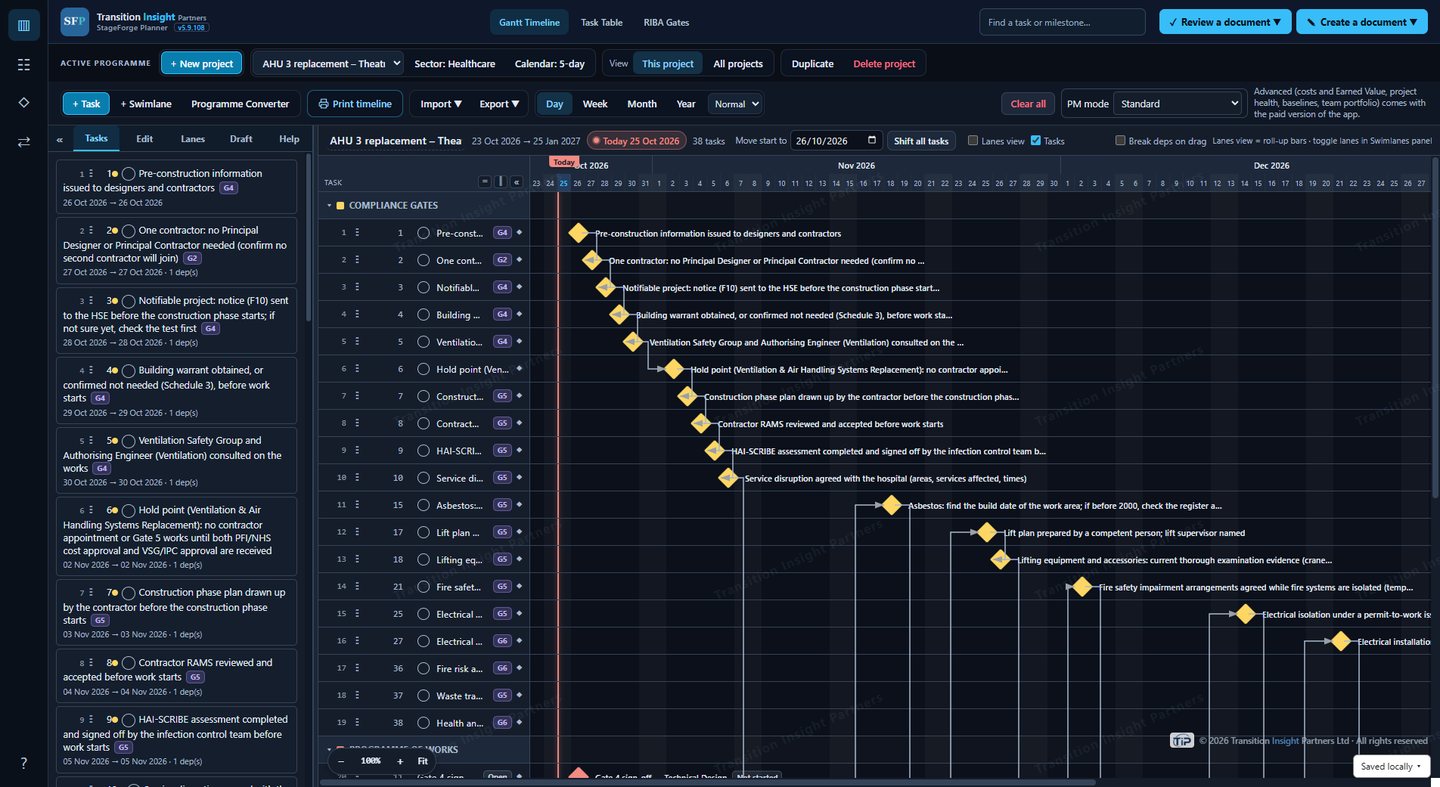
For project managers who deliver building, engineering and plant work in hospitals and healthcare estates, energy and power, prisons and custodial sites, and manufacturing.
Gantt chart with drag and drop, links between tasks, swimlanes for trades or areas, and a working calendar with holidays and shutdowns.
Set out from Gate 0 (strategic definition) to Gate 6 (handover), following the RIBA Plan of Work.
Tick the systems the job touches and it adds the steps that often get forgotten, such as CDM 2015, permits, asbestos checks, HAI-SCRIBE sign-off and statutory tests.
Each step names the regulation, guidance or standard it comes from, and marks anything still to be confirmed. You decide what goes in your plan.
Type or paste a list of activities, or a contractor's programme, and get a draft plan with tasks, durations, links and compliance steps.
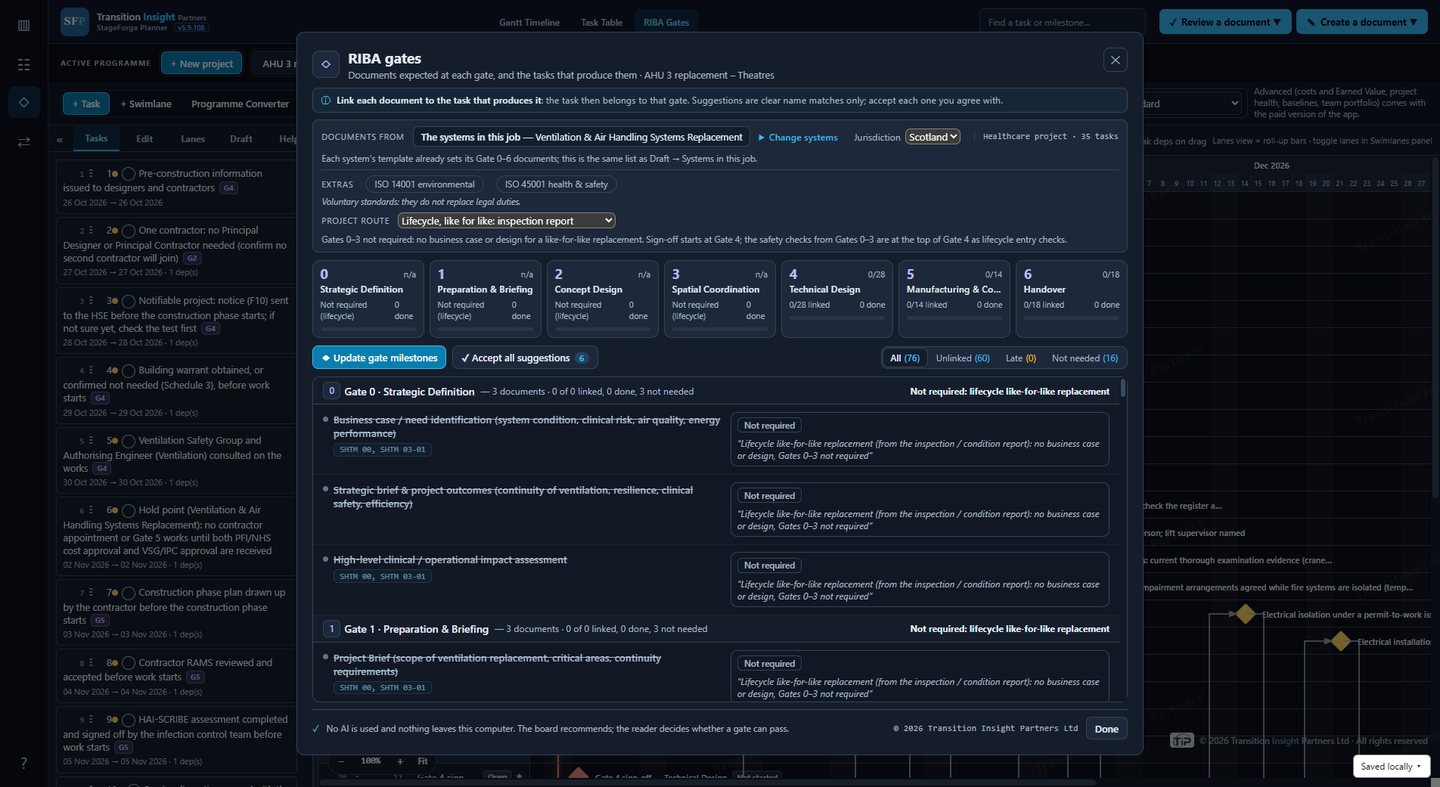
For a like-for-like replacement, the plan skips the business case and design stages.
Advanced mode adds the project's total cost, payment milestones and payments approved by Finance, Earned Value, project health with red, amber and green, baselines and the critical path.
SLT (leadership) mode shows only Portfolio Health: every project's status and the total spent against the total cost, across your projects and your team's shared folder.
Everyone saves to the same synced OneDrive or SharePoint folder, and the team portfolio shows every project side by side, without overwriting anyone's files.
The RIBA Gates board shows every document expected at each gate and how far each gate has got.
As Project Manager, you approve each gate's documents and sign off the gate.
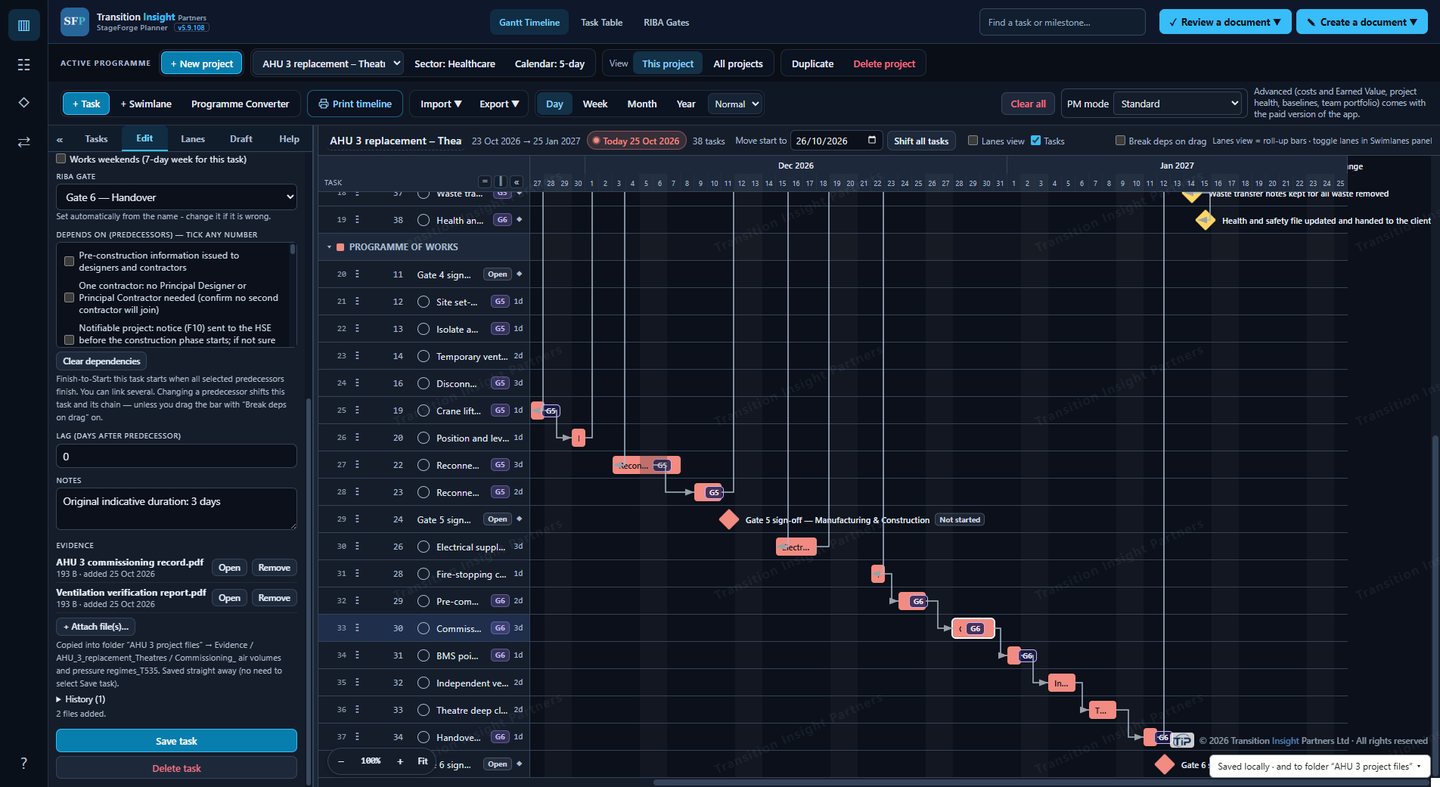
Tick tasks done and attach certificates, test results or photos, or record why no evidence is needed.
Evidence is saved with the project in a folder you choose.
StageForge Planner makes no internet connections and has no AI. Your plans are saved on your PC and in the folder you choose, nowhere else. Nothing is uploaded, and we receive nothing from the app. Read the privacy policy.
Sectors and rules covered: healthcare (NHS Scotland SHTM and NHS England HTM), energy (Great Britain, Northern Ireland and Ireland), justice and custodial, and manufacturing (ISO 9001, with ISO 14001, ISO 45001, IATF 16949, AS9100 and ISO 13485 options; EU product rules for France).
StageForge Planner is a planning tool. It does not replace your competent people, Authorised Persons or professional advice, and it does not certify compliance.
Questions, problems or ideas: email us and we'll reply as soon as we can.
System requirements: Windows 10 or Windows 11, 64-bit (x64), 4 GB RAM, keyboard and mouse.